 Dilekçem
A UDF editor and petition drafting for Turkish courts
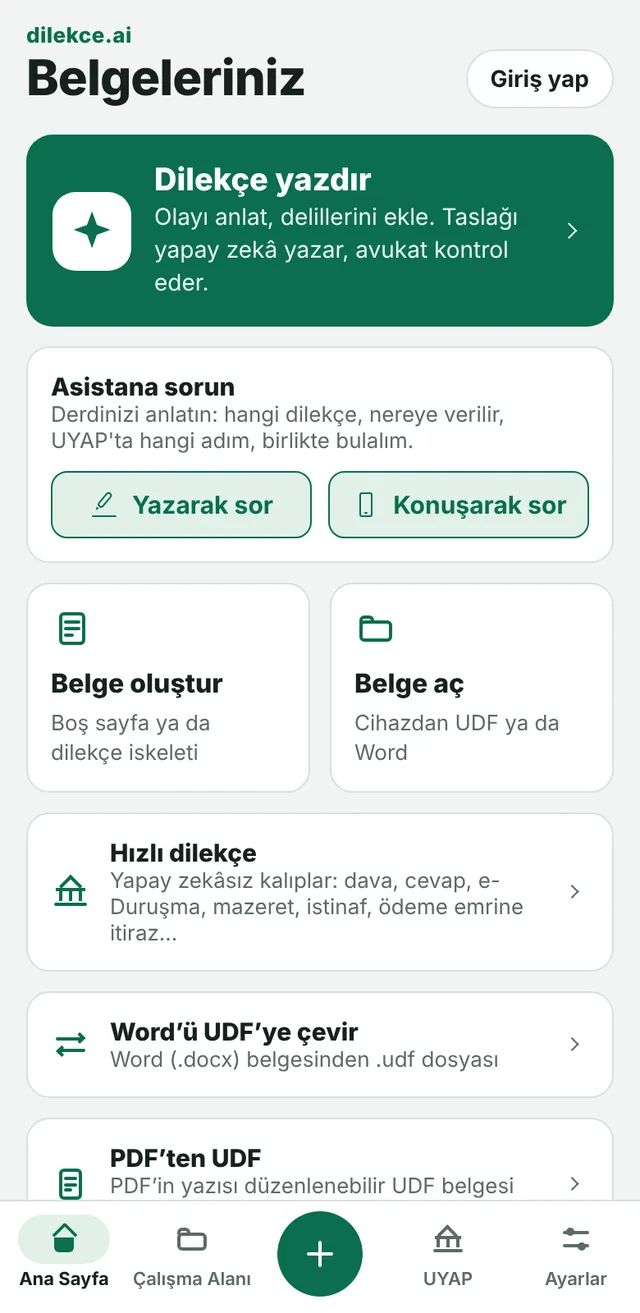
Open, edit and convert UYAP documents on the phone and in the browser. Describe what happened and the AI writes the petition draft; have your lawyer check it before you file.
Editing documents is free and needs no account.
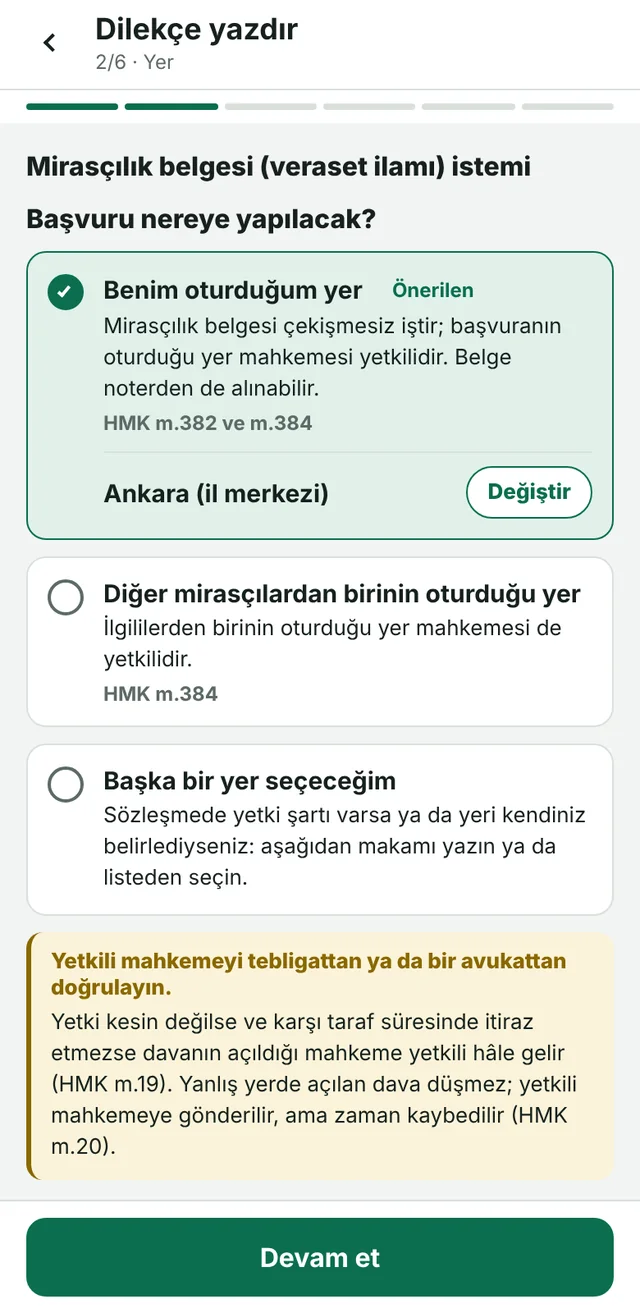
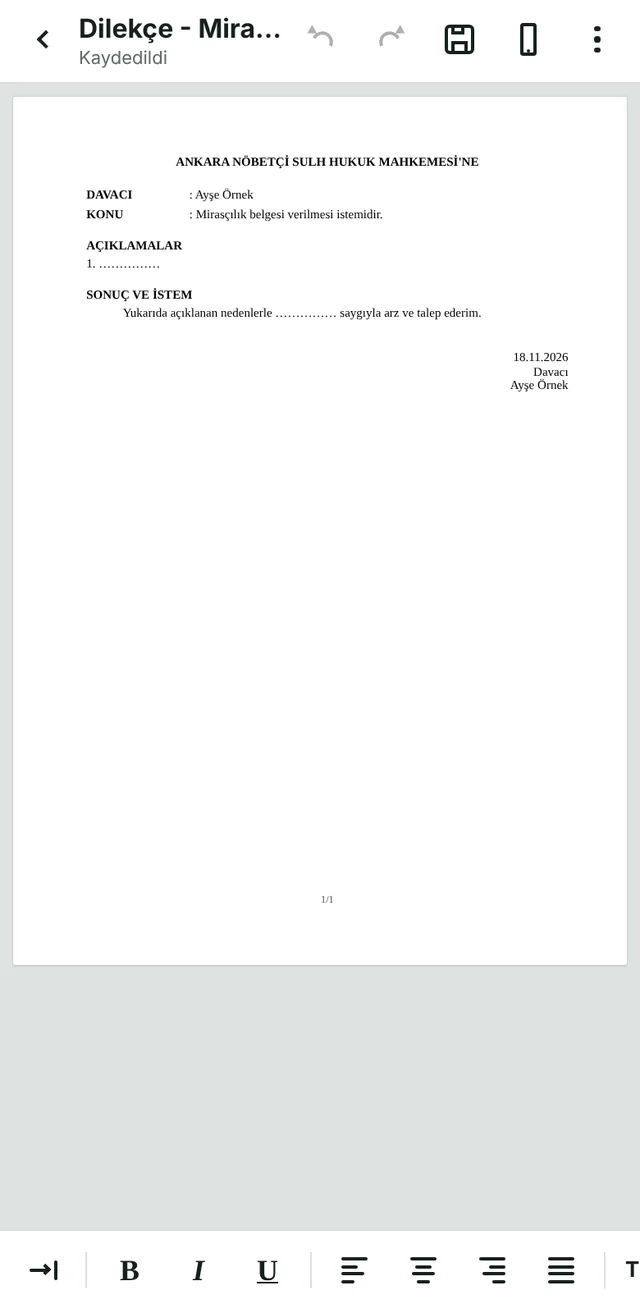
ANKARA NÖBETÇİ SULH HUKUK MAHKEMESİ’NEThe app suggests the court, with the article.
DAVACI: Ayşe Örnek
(T.C. kimlik no ve adres)ID number and address are not sent to the model.
KONU: Mirasçılık belgesi verilmesi istemidir.
AÇIKLAMALARThe AI writes the draft; you edit it.
1. Murisimiz Ali Örnek 12.03.2026 tarihinde vefat etmiştir. Geriye mirasçı olarak eşi ve iki çocuğu kalmıştır.
2. Mirasçılık sıfatımızın ve miras paylarımızın belirlenmesi için bu başvurunun yapılması gerekmiştir.
HUKUKİ NEDENLER
TMK m.598, HMK m.382 ve ilgili mevzuat.
SONUÇ VE İSTEMSaved as UDF; you upload it to UYAP.
Yukarıda açıklanan nedenlerle, murisimiz Ali Örnek’in mirasçılarını ve miras paylarını gösteren mirasçılık belgesinin verilmesini saygıyla arz ve talep ederim.
- The app suggests the court, with the article.
- ID number and address are not sent to the model.
- The AI writes the draft; you edit it.
- Saved as UDF; you upload it to UYAP.
A sample petition. The names are made up.
What it does
The same tools on the phone and in the browser. Everything that touches the document runs on your device.
- Opens and edits UDF
- Opens, edits and saves UDF, the document format of the UYAP Document Editor. Converts Word (.docx) to UDF, and UDF to Word and PDF.
- Drafts a petition
- You pick the type, describe the events and attach the evidence. Google’s Gemini model writes the draft; a checklist shows the points to verify and the missing information.
- Shows where to file
- Once the type is chosen it shows the places the law lists, with the article, and suggests the courthouse and court for the place you pick.
- Quick petition templates
- Templates for a claim, a reply, e-hearing, excuse, appeals, objection to a payment order, amendment, waiver and a formal notice are filled from a form; no AI is used.
- PDF tools
- PDF from photos, Word, Excel and PowerPoint; merge, split, edit, watermark, Turkish text recognition (OCR), repair; an editable UDF from a PDF.
- Checks e-signatures
- For an e-signed or mobile-signed UDF it shows whether the signature matches the text, who signed and when. The check runs on your device.
- Assistant
- You describe your problem in writing or by voice; it tells you which petition, where to file it and which step in UYAP. It gives directions, not legal advice.
- Speech to text, text to speech
- Speak or choose a recording and get text. Listen to a text or a document, and take it as MP3.
- UYAP tab
- Opens the Citizen, Lawyer, Mediator, Expert and Institution portals and the e-Government Gateway.
Three screens from the app
Taken from the web version; the phone app shows the same screens. The app’s interface is in Turkish.
What it does not do
The limits of a petition tool should be known from the start.
- It is not a product of the Ministry of Justice or of UYAP and has no connection with them.
- It does not give legal advice. What it writes is a draft: time limits, the competent court, fees and case law must be verified by a lawyer for every petition.
- It does not send the petition to UYAP. You take the document as UDF and upload it in the portal yourself.
- It does not make a mobile signature inside the app, and it does not check whether a certificate has been revoked.
Cost
There is no subscription. Work on documents is free; AI jobs are charged to the balance as they are used.
Free, no account needed
- Opening, editing, saving and exporting documents
- Converting between Word, UDF and PDF
- The PDF tools
- The quick petition templates
- The court picker and the e-signature check
Charged to the balance
- Drafting a petition: by the model tokens used. An upper amount is reserved at the start and the unused part returns.
- Written assistant: 20 messages a day are free, then by tokens.
- Live assistant: per conversation turn.
- Speech to text by duration, text to speech by characters.
The estimated amount is shown before drafting. An answer that could not be written or cannot be used is not charged. The account is the SpringEngine account: the balance is topped up on springengine.ai and does not expire.
Your data
The document stays on your device. Only the content a job needs reaches the server.
Stays on your device
- The documents you open and create
- Your identity details, place of residence, lawyer profile and client directory
- Files handled by the PDF tools and the signature check
Sent for that job
- Drafting a petition: your account of the events, the parties’ names, the authority’s name and the evidence go to Google’s Gemini model; your consent is asked first.
- Assistant: what you write goes to Anthropic’s Claude model; your voice goes to ElevenLabs (or Groq) to be turned into text.
- ID numbers, phone numbers, IBANs, e-mail addresses and card numbers are removed from a written message before it is sent.
Which job sends what where, what is kept and how it is deleted: Privacy Policy